
mdmcert.download: 10 years past and new beginnings
Date: Fri, Nov 13, 2026
Reading Time: 7 minutes
Ten years ago at the PSU MacAdmins hack-a-thon we set out to democratize MDM push certificates. Now there’s a long-overdue modernization of that project: mdmcert.download v2. I want to share a look back at why it started and where it’s going.
Apple MDM APNs notifications are absolutely essential for MDM to operate with any device: they are a core component of the MDM protocol. But in order to send those MDM push notifications you need an MDM APNs push certificate. Getting one is quite a dance with both an MDM “vendor” and Apple.
If you’re new to the various certificates in Apple MDM, take a look at the Understanding MDM Certificates post. For this post we’re talking about the “MDM CSR” (vendor) certificate and the APNs push certificate. Breifly: you use an MDM CSR to sign a push certificate request, you upload that signed request to identity.apple.com, and Apple hands you back a push certificate for use with MDM.
Back then push certs were difficult #
It’s easy to forget now, but MDM APNs certificates were hard to come by back then.
Back in the day MDM APNs certificates were only available behind an Apple Enterprise Developer Program account. In fact the MDM specs weren’t even public: the protocol reference was published as a PDF only accessible from your Enterprise developer account (i.e. paywalled).
Getting an Enterprise account was difficult then, and even more difficult now. It’s US$500/yr, requires a D-U-N-S number, possible tax documents, and manual telephone verification. In recent years they’ve added a minimum organization size as well. That wouldn’t do for anybody wanting to tinker with — let alone contribute to — open source MDM.
This is why things like David Schuetz’s Black Hat 2011 talk (video) describing the MDM protocol and extracting the “free” certificate provided via the then-available Mac OS X Lion Server.app were important at the time.
That was the world open source Apple MDM was born into. If you’re a masochist and want to hear more about antiquities from that era, check out my Open Source MDM State of the Union 2016 talk — a history of Apple MDM on macOS, Commandment, MicroMDM, Project-iMAS, SCEP servers, DEP, and all the pieces we were trying to reverse-engineer so we could build in the open.
mdmcert.download: how it began #
Given all this we wanted to democratize the MDM push certificate process so most anybody could use and contribute to open source MDM!
This meant getting past Apple’s paywall. Which we really just worked around by brokering the normal Enterprise vendor process: you made a push request with your own key, we signed it with our vendor (MDM CSR) identity, and you took that signed request to Apple’s Push Certificate Portal yourself to get your certificate. The difference is that, unlike with a commercial MDM, you didn’t need to pay anything or really have a prior relationship with us, or even use our tooling.
So, 10 years ago now my previous employer, MacTechs, a Mac-focused IT consultancy, very graciously sponsored the Apple Enterprise Developer account on behalf of the open source MDM community. Without that sponsorship none of this happens — thanks, MacTechs!
The service itself was developed during the 2016 PSU MacAdmins hack-a-thon.
We were a winner! (But so was everyone else — everyone who entered won, yay! :)
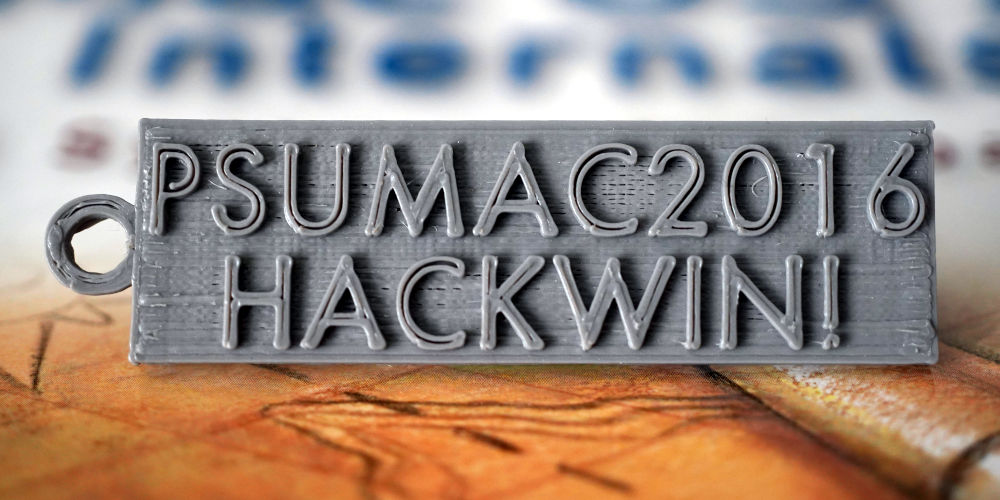
3D-printed PSUMAC2016 HACKWIN! badge
We even premiered a 30-second video spot during the conference the next morning:
Fun fact: this video originally had a rather… spirited and colorful soundtrack featuring some folks who were in the room during the Hack night before winners were announced. Better judgement prevailed and the sound was removed from the video the next morning before being shown to all conference attendees.
Shortly after PSU MacAdmins we integrated direct support for mdmcert.download into MicroMDM and Commandment.
For 10 years that hack-a-thon project — largely unchanged — has quietly signed push requests for the community. To carry on the theme of openness we’ve put together a curated static snapshot of mdmcert.download 10-year usage stats.
Taking the site down #
In 2021 we took the site down for a while after security researchers started promoting using our signed certificates for arguably nefarious purposes in a Black Hat talk (video).
The problem here was that they were directly tying mdmcert.download to potentially nefarious actions or exploits (with literal phrases like “Abusing MDM”, “Turning macOS Management Evil”). All well and good for a Black Hat talk, of course, but given Apple’s careful control of the certificate process and our concerns over them cancelling our account due to this exposure, we decided to disable the site for a few weeks while the excitement of the conference talk blew over.
To be clear: it’s not that there’s any problem with that talk, presentation, or the authors, it’s just we were concerned about the fallout for people who run open source MDM getting cut off by being so cavalier about using our service for nefarious or malicious purposes.
Yes, you could argue that’s ultimately Apple’s problem to solve and enforce, and to act otherwise is just security through obscurity, but we considered it putting our community service — provided with care, good intentions, and some cost — at risk.
Announcing mdmcert.download v2! #
Given that mdmcert.download was a hack-a-thon project, largely unchanged to date, and quite old, it needed modernization and clean-up. So, we did! Announcing https://mdmcert.download/ v2!
Functionally it does the same brokered signing it always has. What’s new is everything around it:
- No longer email round-trip based.
- In the spirit of open source we now require GitHub or GitLab sign-in.
- Combined with avoiding an email round trip we hopefully save some folks from spam traps that plagued the old system.
- No longer “requires”
mdmctl(or other) tool integration — you can upload any ol’ CSR, and get the signed bundle back right on the Sign page. - And more! :)
If you used v1, the flow will feel familiar, just with fewer sharp edges. If you’re new: generate a push CSR + key, upload the CSR, download the signed request bundle, take it to identity.apple.com (remember: Renew, don’t Create, when actually renewing), and bring the resulting push certificate back to your MDM.
A few important notes #
First, Enterprise accounts are no longer needed! From about a year or two ago a standard US$99/yr Apple Developer account is able to get an MDM CSR.
While mdmcert.download lives on, the supported way to do this is to get your own Apple Developer account. See “Tips and tricks” in the mdmutil operations guide and follow the guidance there — including how to request the “MDM CSR” option from Developer Support if you don’t see it (only the Account Holder can get it), yearly expiry gotchas, Apple ID separation for the Push Certificates Portal, and migration notes.
Second, and to be VERY clear: despite being on this blog, mdmcert.download IS NOT an official MicroMDM organization project. Support for using it is not officially provided as part of the MicroMDM organization or any sub-projects.
That said — if you run into trouble, come hang out with us in the #mdmcert-download channel on the MacAdmins Slack community (and other channels such as #micromdm, etc). Support is community best-effort, not officially provided. Just please don’t file it as an official support request against the MicroMDM org or projects.
Finally, we’re still hopeful that the entire MDM APNs identity.apple.com flow goes away some day for something easier and more modern. Perhaps along the lines of the token-based JWT process used for App notifications, but for MDM APNs. Until then, we’ll try to keep the lights on.
Thanks to everyone who’s used, sponsored, hosted, patched, and cheered on mdmcert.download over the last 10 years — and here’s to a another, hopefully simpler, 10.